Helping health workers access critical data without internet connectivity.
The Problem
Zenysis’s PAAD platform helps Mozambique’s Ministry of Health visualize critical health data. But it was designed for desks and stable internet, making it useless in the field.
I led the design for downloading, managing, and syncing dashboards on mobile devices.
My Role
Product Designer
Timeline
October 2025 - January 2026
(4 Months)
Team Structure
2 Designers
1 Software Engineer
1 Product Manager
Before
After


System Painpoints
1. The "Sunday Night Screenshotting"
Workers screenshotted dashboards before their field visits that, taking 5 minutes per dashboard. These screenshots aren’t interactive preventing users from accessing all of the data they needed. Without reliable data, reliable decisions can’t be made.
2. Multiple Filters Per Dashboard
Users needed the same dashboard saved with different filters: "Immunization Performance - Cabo Delgado" vs "Immunization Performance - Zambezia."
Insight:
This wasn't just about easier access to data. It was about maintaining confidence in decision making when connectivity isn’t guaranteed. Our users needed to know when data was updated, what filters were applied, and trust it was reliable even if not real-time.
Challenge 1: Folder Organization
How do users find their snapshots?
The problem:
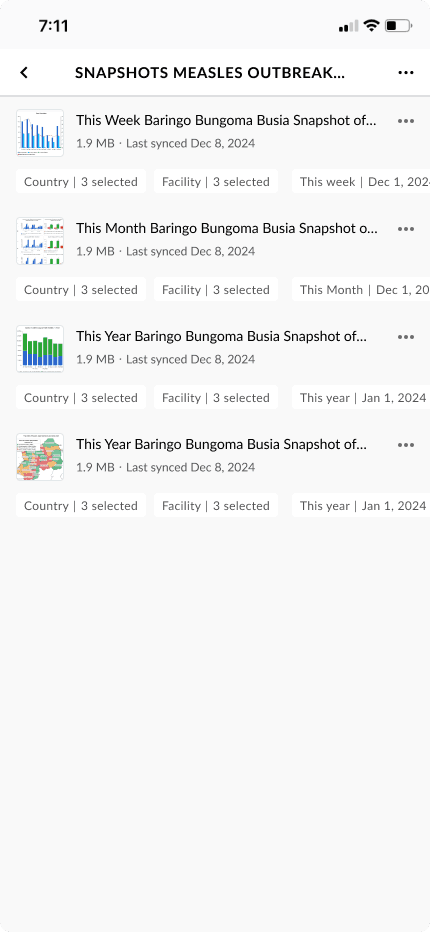
Users download the same dashboard multiple times with different filters applied. A flat list of “Immunization Performance Dashboard” repeated 5 times isn’t helpful.
My Approach:
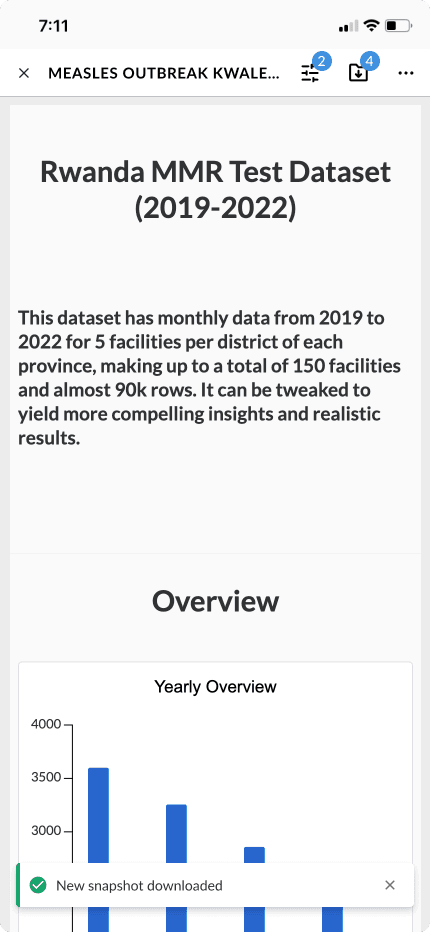
Organize snapshots in folders by parent dashboard, with each snapshot showing its filter configuration
Why this works:
Matches the users mental model ("I need the immunization dashboard")
Reduces scroll depth: users only see what they need
Clear distinction between multiple views of the same data
Scales as users add more snapshots
How do we prevent users from getting lost?
PAAD already has dashboards that users are familiar opening and editing.
Dashboards sync with real time data updates while snapshots are frozen in time (unless synced)
Dashboards changes effect everyone, while snapshot edits are personal
If snapshots look identical to dashboards, users might:
Think they're editing the source dashboard (breaking things for others)
Make decisions based on old data without realizing it
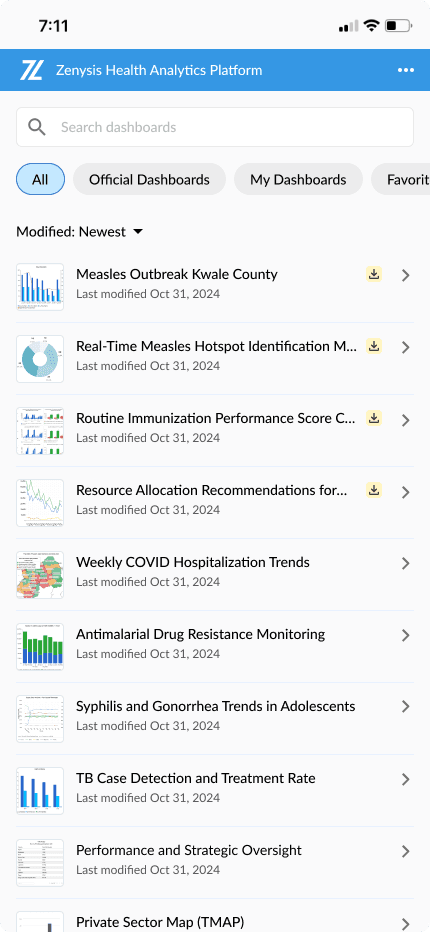
Because snapshots are a downloadable dashboard, they have the same features. Snapshots have to feel similar yet distinct enough that users never lose track of what they are editing or viewing. I did this by designing subtle distinctions in the list and content views.
Challenge 2: Snapshots vs. Folders
Dashboard List
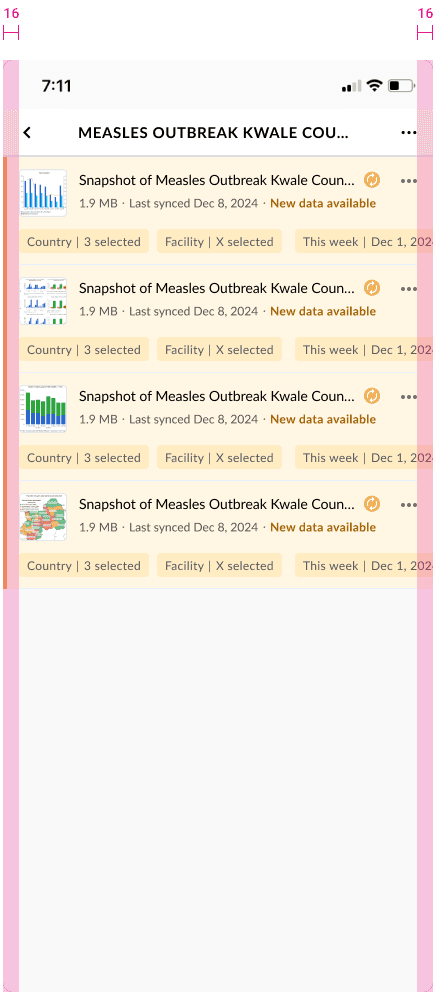
Snapshot List
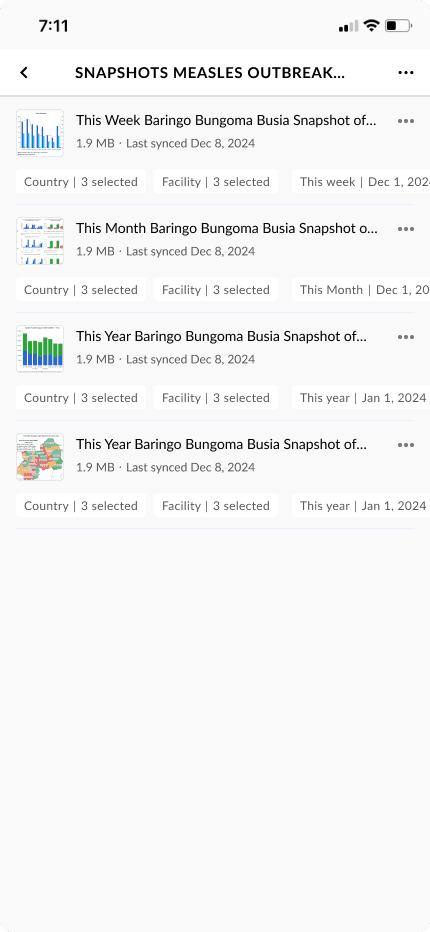
Headers with cohesive but different UI elements lets users know where they are at all times. Both cards only show metadata that's necessary for the associated user tasks. (viewing dashboard vs. snapshot organization).
Both cards come from the same parent so they inherent similar cover images and names.
97% of Users reported no navigation issues in user testing.
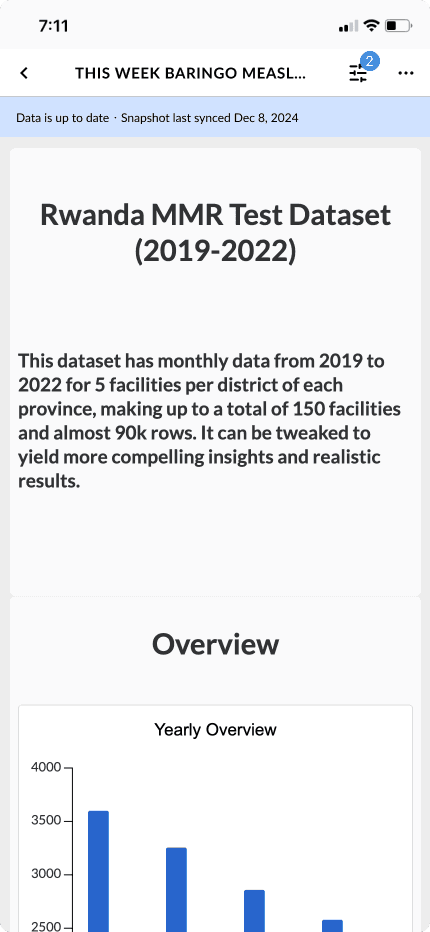
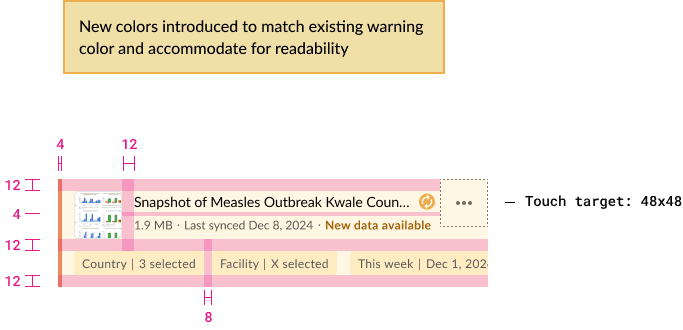
How do we prevent decisions based on stale data?
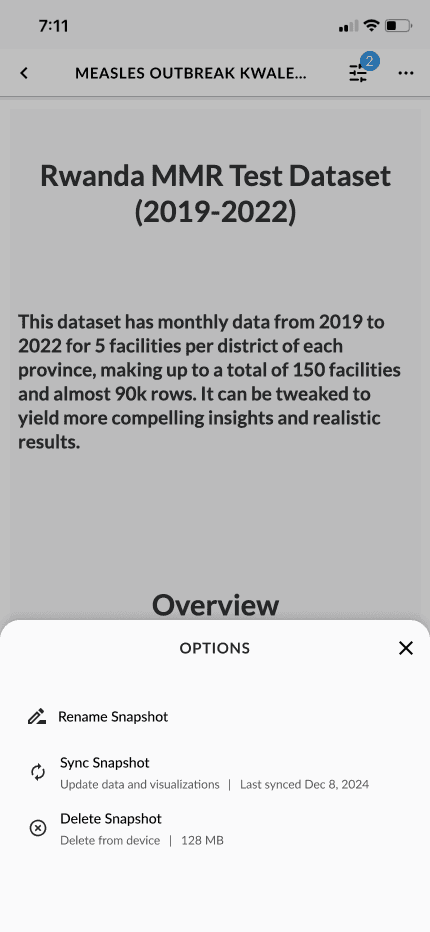
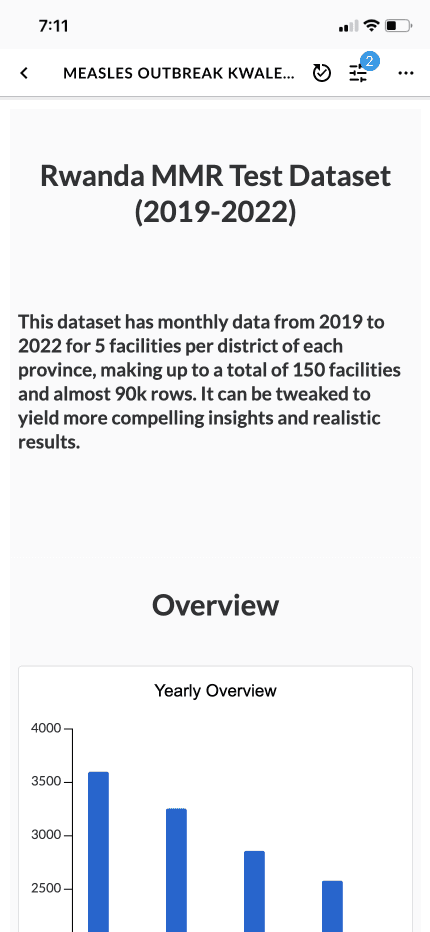
The problem: In heath contexts, acting on 2-week-old outbreak data could mean missing critical interventions. Users need to know instantly when they’re viewing offline data.
I explored 3 approaches:
Challenge 3: Offline State Clarity
Dashboard List
Snapshot List
Snapshot List
How do we prevent decisions based on stale data?
The problem: In heath contexts, acting on 2-week-old outbreak data could mean missing critical interventions. Users need to know instantly when they’re viewing offline data.
I explored 3 approaches:
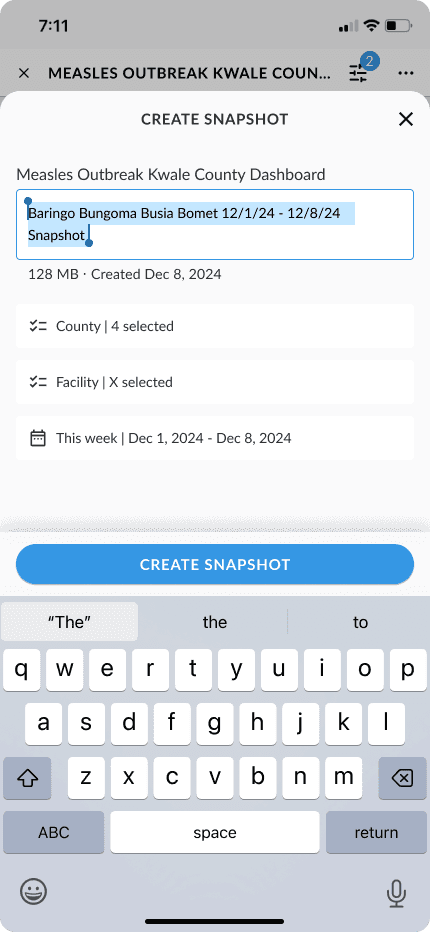
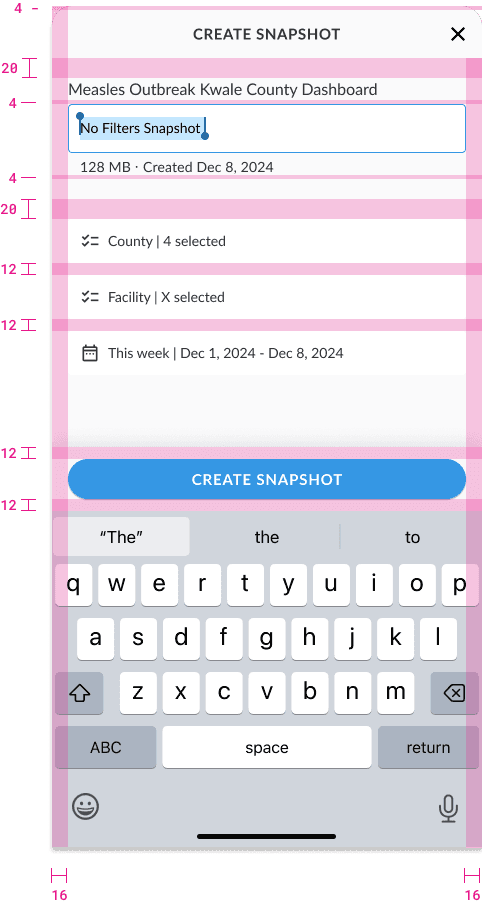
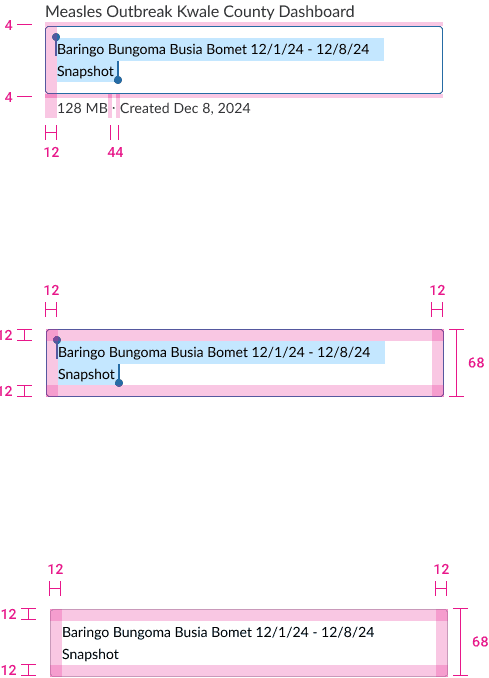
Why this works:
Users tap once and continue (low friction for users who are downloading multiple dashboards)
Names are scannable and distinctive
Matches how users verbally describe their needs
Inline editing available for edge cases
Challenge 4: Smart Name Logic
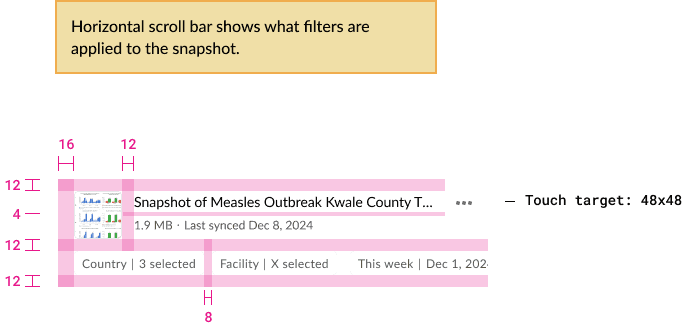
Developer Handoff
What I Learned
Designing for complex systems
This project taught me that the most effective solutions for complex problems come from understanding interdependencies and designing systems that guide users through complexity rather than hiding it.