Designing a voice tutor for a screen-less class.
The Problem
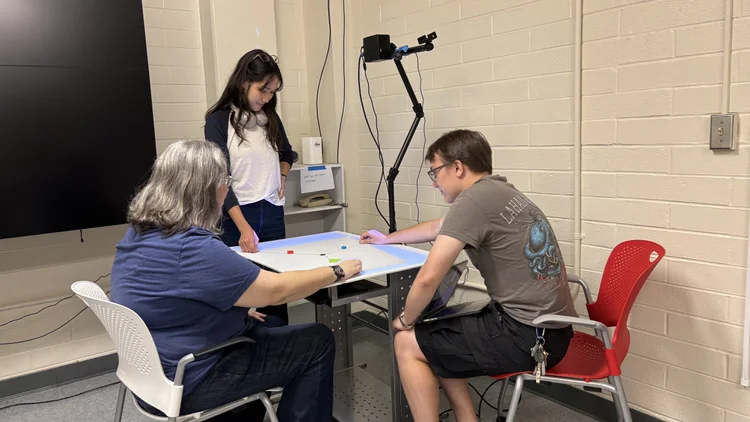
SpARC (Spatial Augmented Reality for Collaboration) is an NSF-funded system that teaches architecture students how structures behave. A camera captures students interacting with physical 3D models on a tabletop, and a projector overlays real-time visualizations of forces and structural math onto the surface.
I designed the interface and voice interaction for a projection-based learning tool, prioritizing equal access and encouraging, productive learning environments where no screens, keyboards, or buttons exist.
My Role
Product Designer
Timeline
Spring 2025 - 2026
Team Structure
2 Software Engineers
3 Professors
No screen. No mouse. No keyboard.
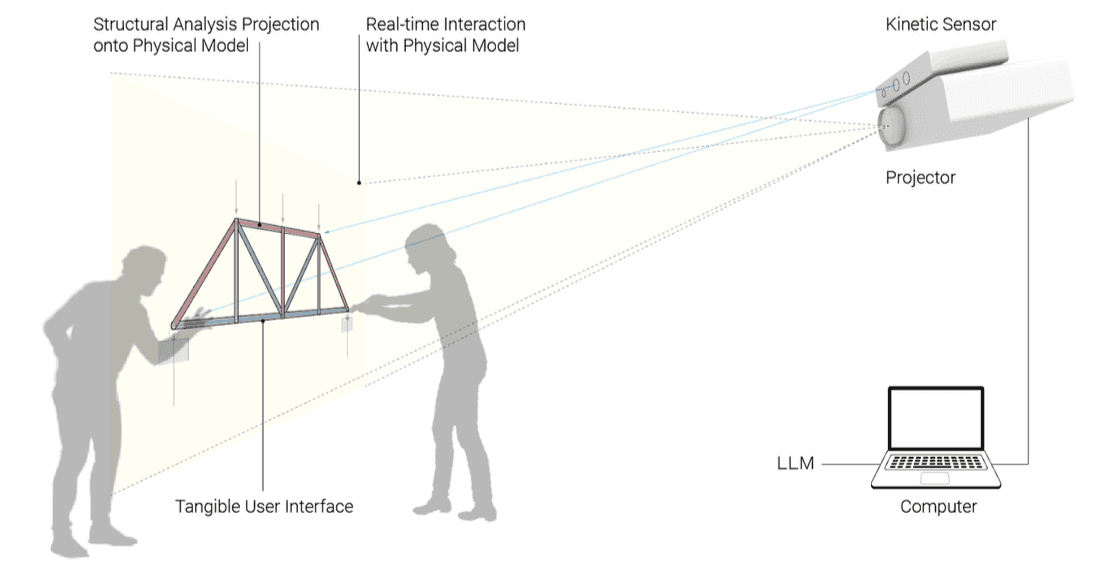
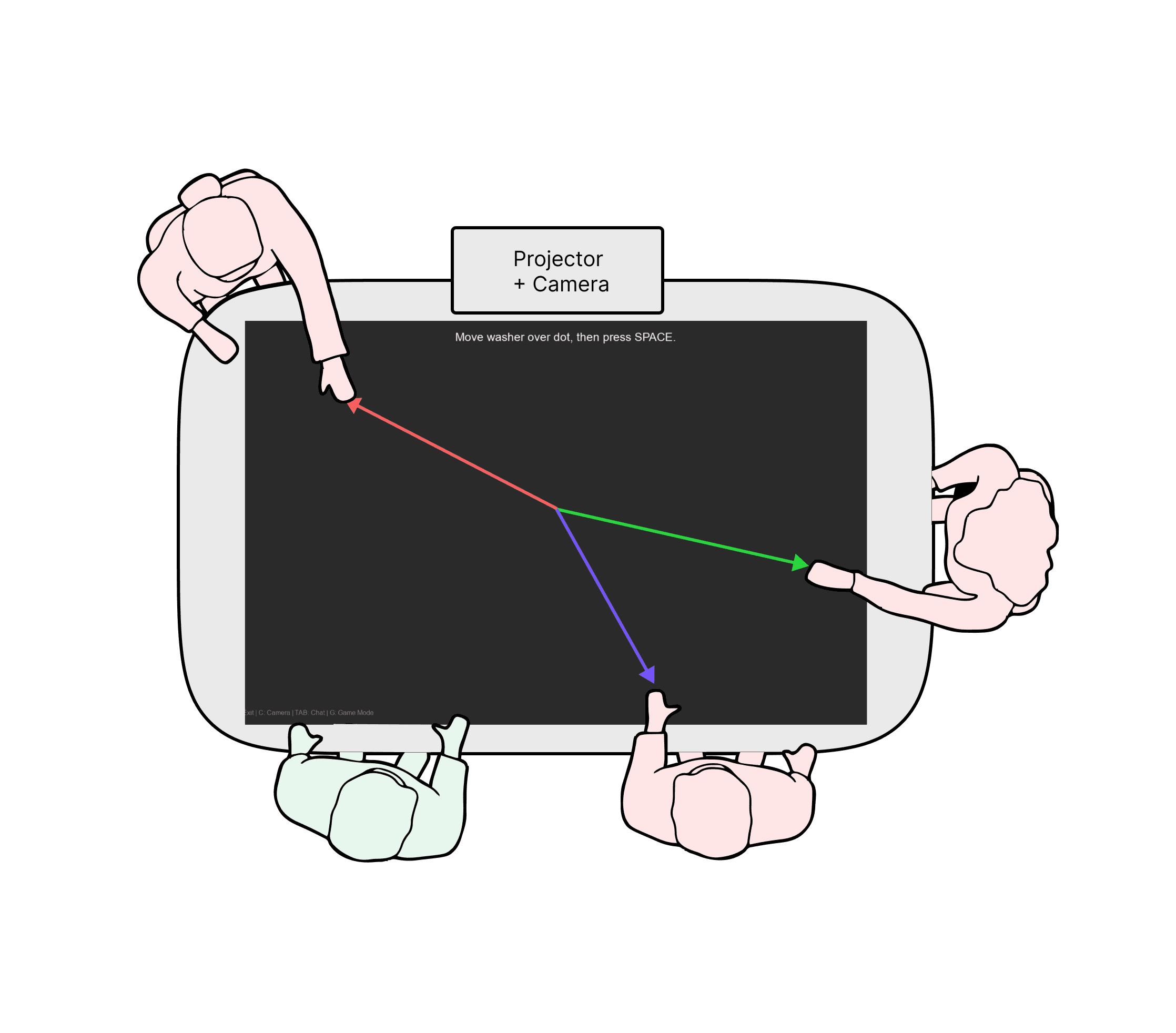
Everything is projected onto a table that students stand around together. So how do people interact with the software?
Students and professors needed a way to ask questions, switch modules, adjust settings, and get explanations — without leaving the shared physical space.
Why Voice?
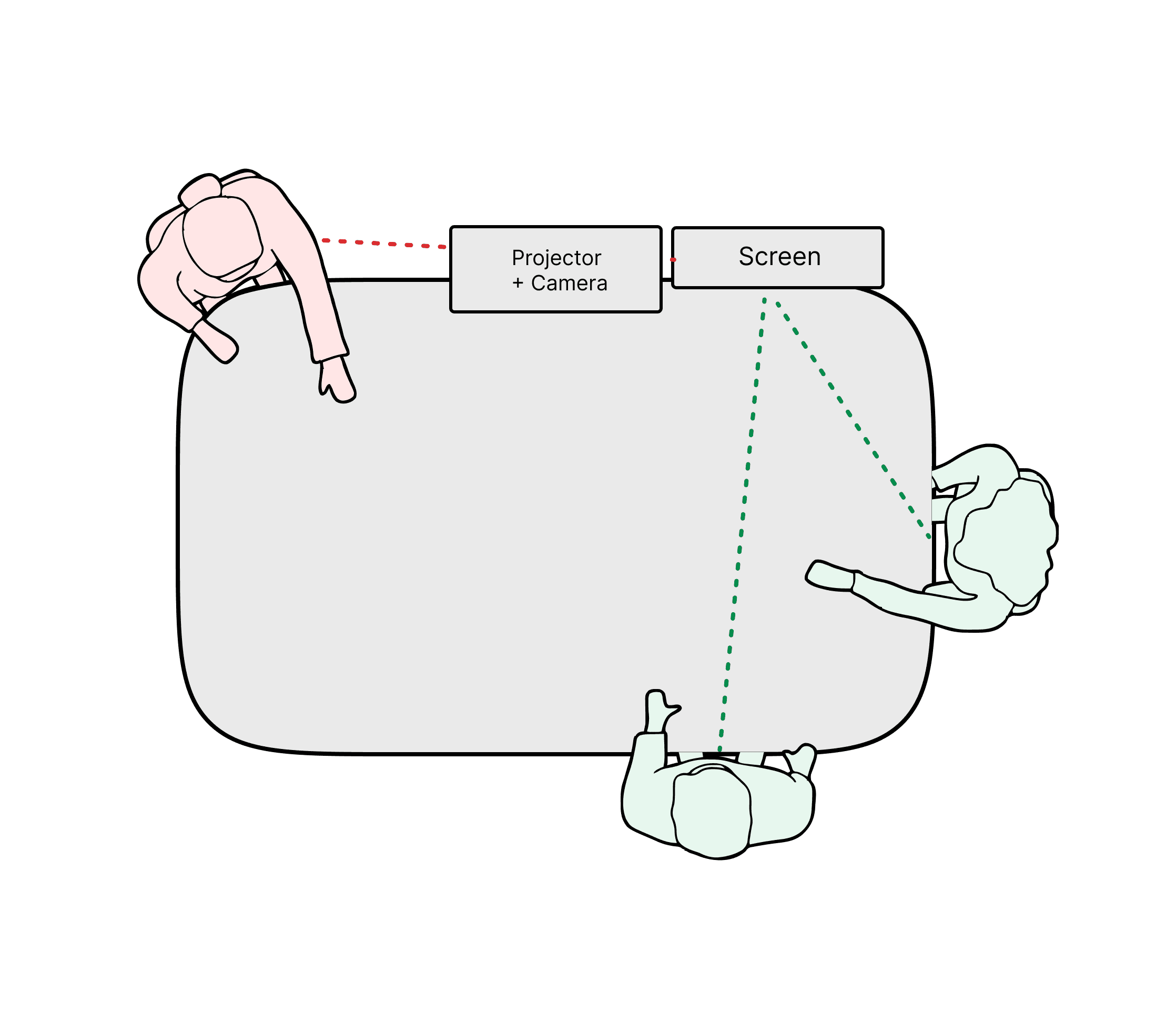
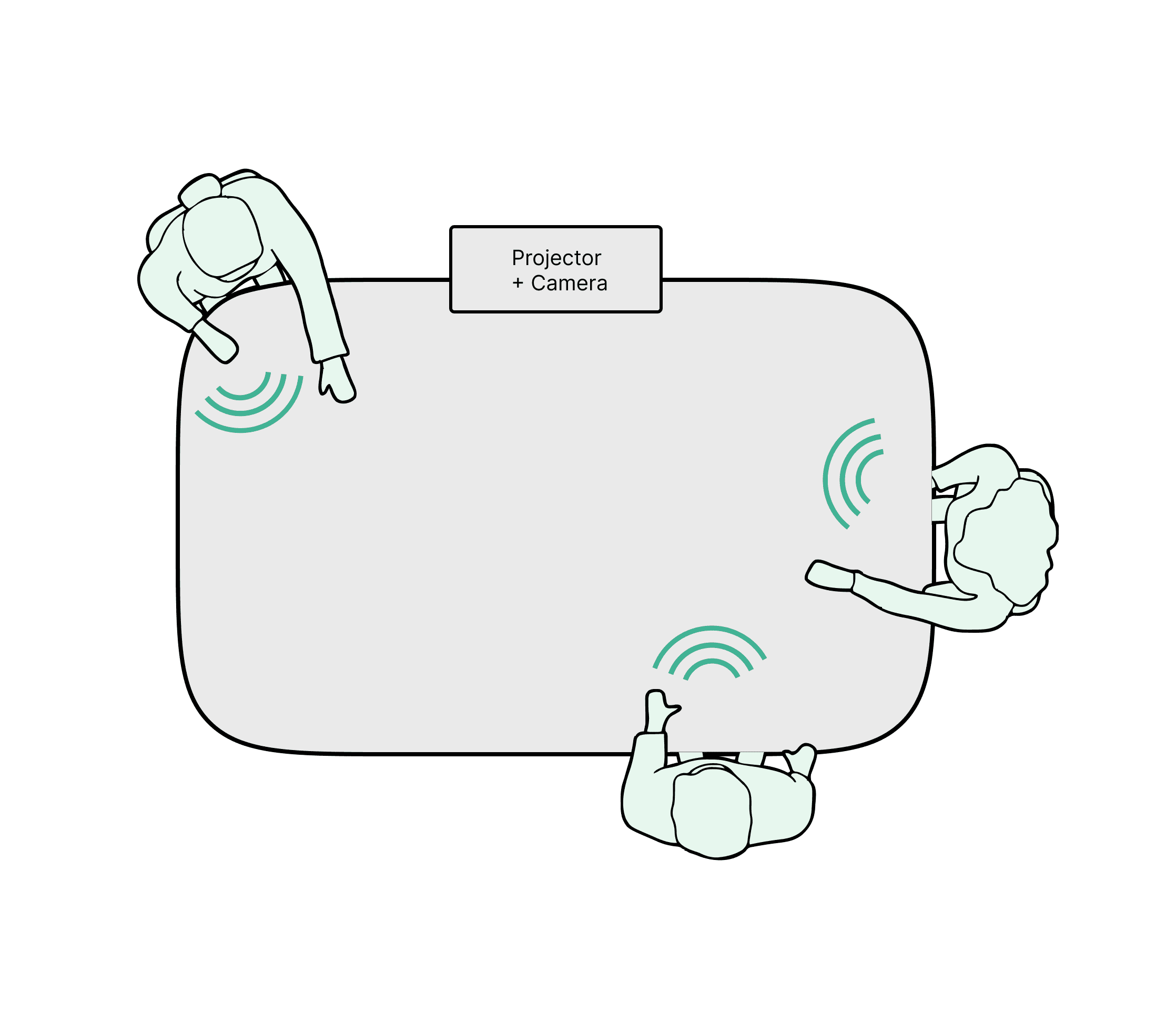
Gesture was explored but ruled out. Students' hands are already occupied with physical prototypes.
A separate screen breaks equal access. Whoever stands closest controls it; others lose visibility.
Voice keeps everyone in the same space. Anyone at the table can speak. No one steps away or fights over a controller.
This direction came from social informatics research about how people share space and information. I also studied how existing voice assistants handle wake words in noisy environments, which expanded the scope — voice could handle system commands (switch modules, adjust volume) in addition to student questions.
Meet Sparky!
"Sparky" came from a team brainstorming session — a playful riff on SpARC that makes the tutor feel approachable. The name, tone, and personality are deliberate: a welcoming tutor gets more questions than a clinical one, and more questions means more learning.
I iterated on the smaller interaction elements to give Sparky a bit of "whimsy" separating it from the negative stigma often associated with the use of AI.

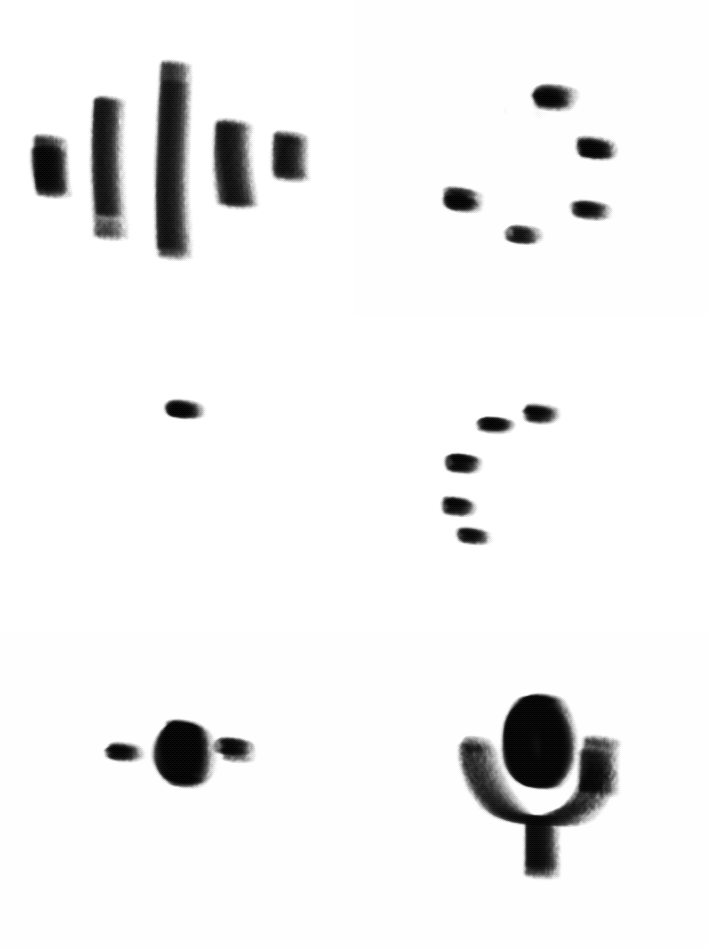
Sparky handles two types of input:
Questions — "What is a force?" "Why isn't the washer moving?" Sparky generates contextual, educational responses tied to the active module.
Commands — "Switch to module 2." "Clear overlays." "Show calculations." This solved real friction around setup and navigation.
The Disappearing Chat
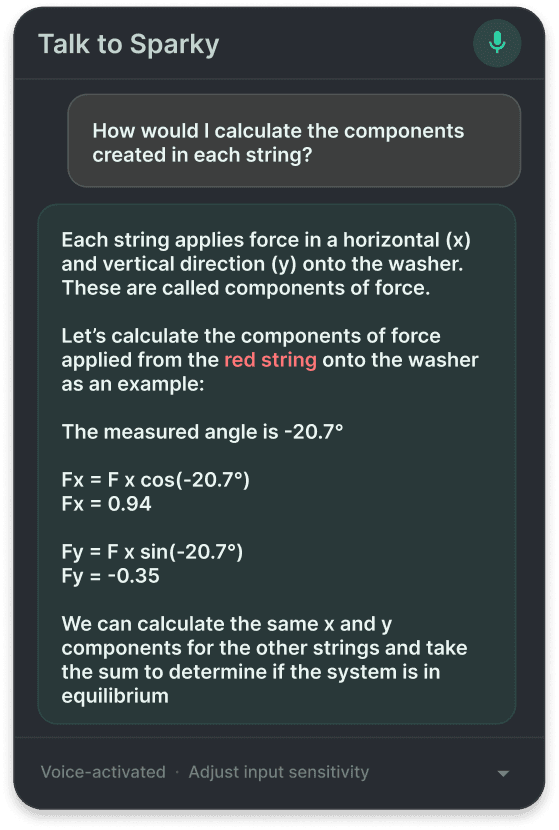
The chat is ephemeral. In a projected learning environment, every pixel is shared real estate. The chat box opens, delivers information and gets out of the way.
Text scrolls as Sparky reads aloud; previous history is accessible by scrolling
Commands disappear after execution — "volume up" doesn't need to persist
As Sparky reads a response, it draws and highlights elements on the projection in real time. When Sparky says "the red string pulls right with 10N," the red string highlights and force values appear. When it explains an angle, it draws the measured arc with labeled degrees.
A teacher at a whiteboard doesn't just talk — they point, draw, and annotate. Sparky does the same thing, but projected on the physical model itself.
Synchronized Annotation
Idle — "Talk to Sparky" prompt signals voice is available
Wake word — "Hey Sparky" triggers transition to "Listening"; the element expands horizontally to preview the chat width
Processing — Sparky is working on a response
Response — Chat populates and Sparky begins reading and annotating
I had a lot of fun ideating on smaller interaction elements to give Sparky a personality
Activation Flow

Faculty testing revealed two key issues:
Voice speed was too fast for math-heavy explanations — I adjusted the pacing
Responses were too long/technical for a projected format — I refined prompts to prioritize concise, step-by-step output
Student testing is planned for the next phase of the project.
Testing & Iteration


Designing for a space, not a screen, changes everything. My architecture background helped A LOT. Buildings are designed around how people move through it, and SpARC needed the same spatial thinking.
Voice UI is as much about the silences as the speech. The pause before Sparky speaks, the fade timing, the expansion animation — these quiet moments make the interaction feel responsive rather than jarring.
Constraints focus the work. No screen, no buttons, noisy classrooms, equal access for everyone. Every feature had to earn its place.
Always Learning